
Scan cards.
Save contacts.
Connect with Salesforce.
Digitize business cards with AI, save each contact in your digital cardholder and sync it with Salesforce without copying data manually.
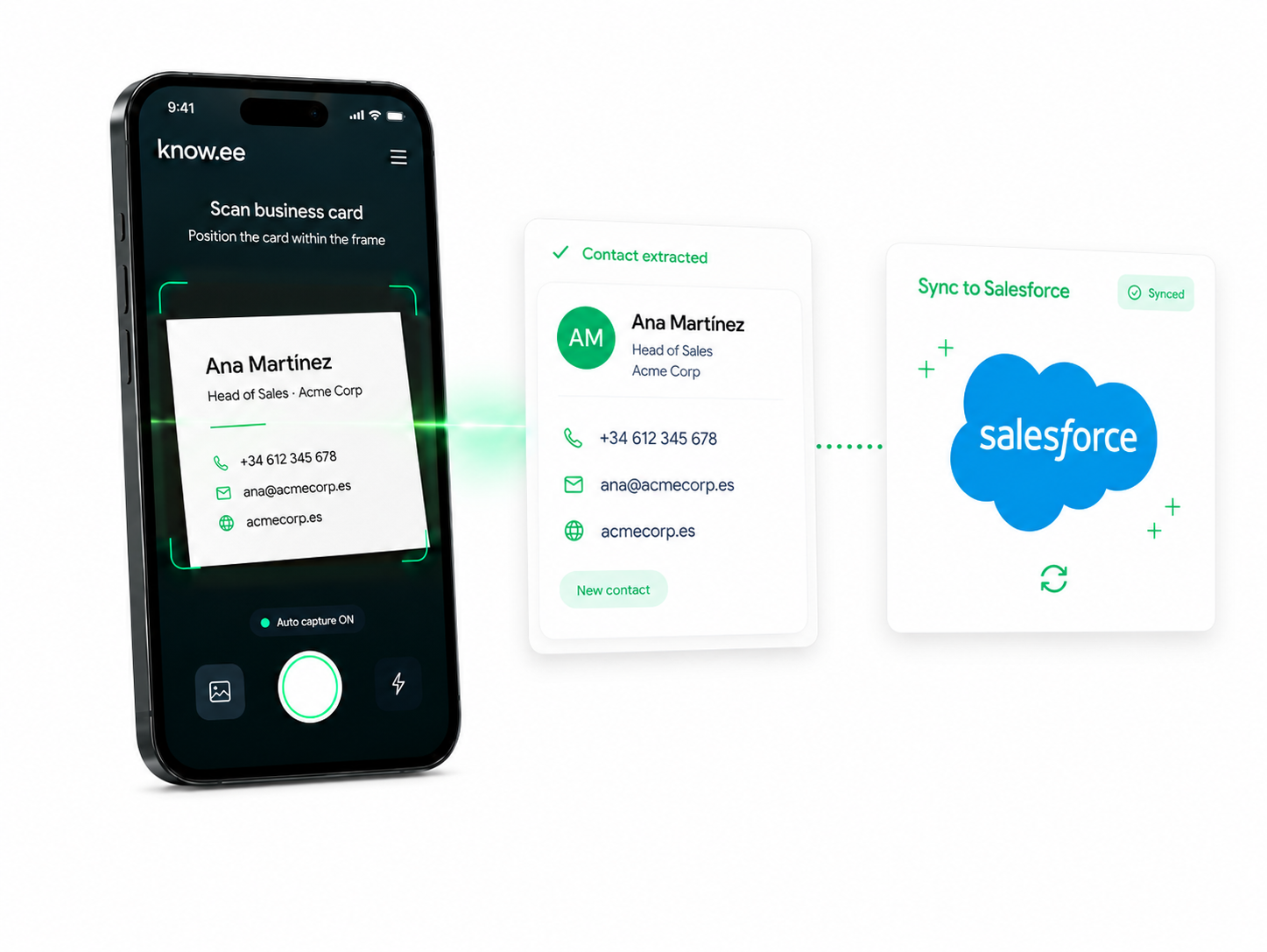
From a paper to Salesforce in seconds
See how know.ee scans a card, extracts the contact details and sends it ready to save or send to Salesforce.
Three steps. Zero friction.
Designed so you can focus on conversations, not collecting business cards or manually entering data.
01
Scan the card
Open know.ee, photograph the card and our AI recognizes names, job title, company, phone number, email and website.
02
Save it in your cardholder
The contact is automatically saved in your digital cardholder, ready to view, edit or share when you need it.
03
Sync with Salesforce
Connect your account and send contacts to Salesforce so your team can work with clean data in the CRM.
Your digital cardholder, connected with Salesforce.
It is not just about scanning cards. The key is turning each contact into a business opportunity in your company’s workflow.
01
Contacts always available
Carry all your contacts digitized and accessible from your account.
02
Fewer manual errors
AI extracts the key information to avoid mistakes when copying emails, phone numbers or company names.
03
Salesforce always updated
Send new scanned contacts and keep your CRM fed after every event or meeting.
Do you have lots of cards piled up?
Digitize loose cards, contacts from events or complete batches. Batch scanning will be available soon.
Upload your cards
Scan cards from your mobile and save them directly to your digital cardholder.
CRM without manual work
Send processed contacts to Salesforce and avoid copying them manually into spreadsheets.
Start by creating your account
Try the card scanner and start building your digital cardholder. If you need to connect Salesforce, our team can help you set it up.
I’m an individual
I’m a enterprise
I’m an individual
Our office
I’m a enterprise
Our office
Turn every card into a useful contact.
Create your account and start scanning cards with know.ee.