Knowee + HubSpot: From networking to CRM, without the extra steps
Meeting someone at a trade show, a business meeting, or an event is just the beginning.
Then comes the less exciting part: saving the business card, entering the details, adding the contact to the CRM, importing an Excel file, checking for duplicates, and hopefully remembering to follow up.
And this is where many opportunities start to slip away.
Because the problem is rarely getting new contacts. The real challenge is what happens to those contacts afterwards.
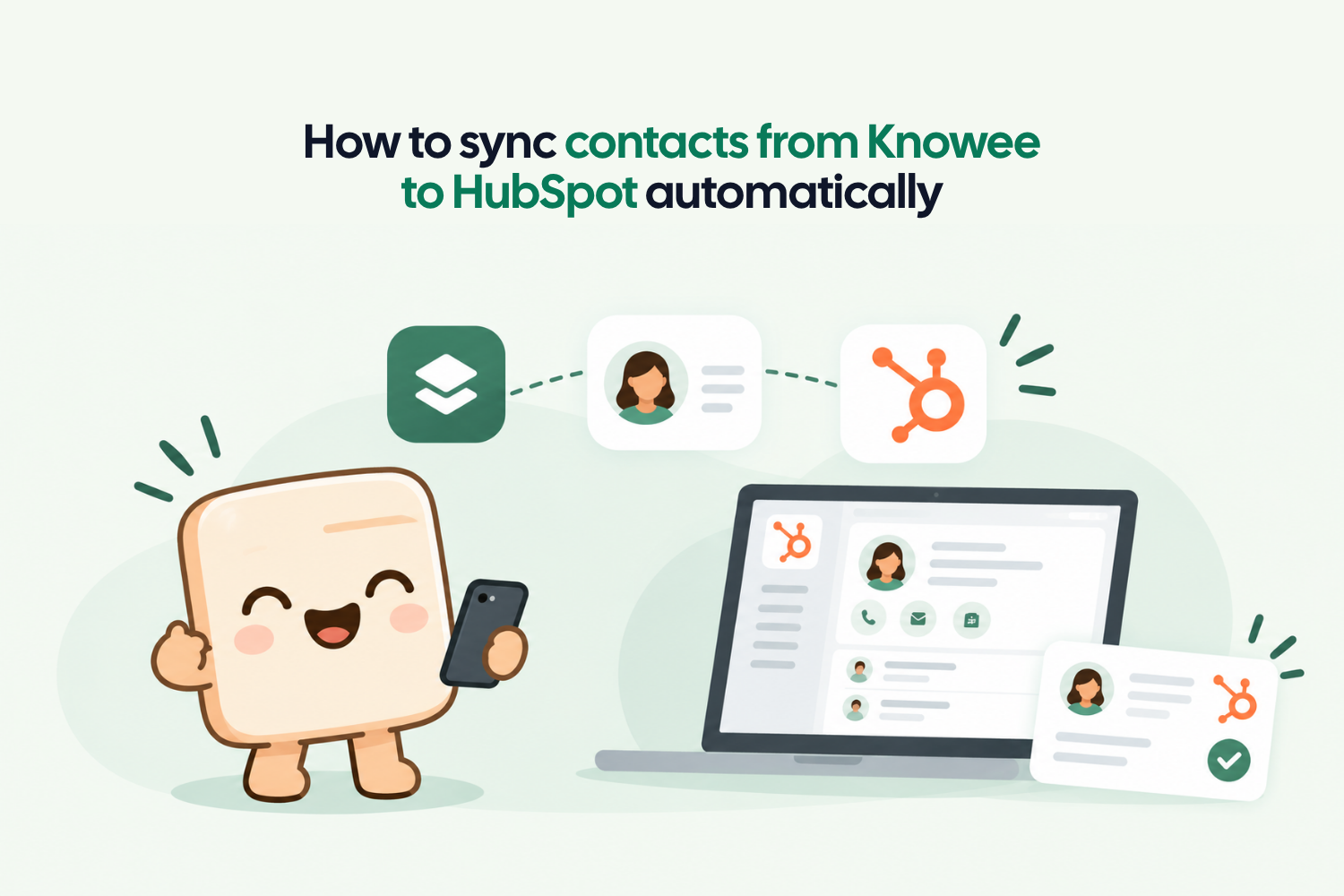
That is why Knowee is taking networking one step further. You can now connect your Knowee Corporate Cardholder with HubSpot and have the contacts captured by your team sent directly to your CRM.
No Excel files. No copy and paste. No waiting until you get back to the office.
From a business card to HubSpot automatically
Imagine that someone from your team is attending a trade show.
They speak with a potential customer and exchange their contact details through Knowee. That contact is automatically saved in the Corporate Cardholder.
Or perhaps they receive a paper business card.
Instead of putting it in their pocket and planning to enter the details later, they can scan it directly from the Knowee app. The information is digitized and the contact is saved.
From there, the integration takes care of the rest.
The contact moves from Knowee to HubSpot automatically and in real time.
This means that Marketing and Sales teams can work with the information directly in the CRM, qualify the contact, add them to a sales process, create follow-up tasks, or include them in the appropriate workflows.
The idea is simple: the contact does not get stuck halfway.
The real value is in removing unnecessary steps
Manual processes may seem insignificant when viewed individually.
“I just need to add this business card to the CRM.”
“I just need to import this Excel file.”
“I just need to add these ten contacts from the event.”
But when you multiply these tasks across an entire sales team, month after month and year after year, the time quickly adds up.
In fact, Salesforce published research showing that sales representatives spend only 28% of their working week actually selling. The rest is divided between tasks such as opportunity management, data entry, and other administrative work.
And this is one of the key benefits of automating contact capture. It is not simply about saving a few minutes when entering a business card. It is about making sure that contact information enters the sales workflow at the moment it is generated.
There is a big difference between meeting a potential customer on Tuesday and adding them to the CRM on Tuesday.
And meeting them on Tuesday, collecting 30 business cards throughout the week, returning to the office on Friday, entering them all into an Excel file, and remembering to import them into the CRM the following week.
The more steps there are between making a new connection and getting that contact into the CRM, the more opportunities there are for something to get lost along the way.
The Knowee corporate cardholder as a bridge between networking and CRM
The Knowee Corporate Cardholder brings together the contacts generated by your team through their networking activities.
On one side, there are the paper business cards employees scan using the Knowee app. On the other, there are contacts collected through contact exchanges using Knowee.
Everything is centralized in the Corporate Cardholder.
Now, this information can also be connected directly to HubSpot. This changes the way we think about a digital business card.
It is no longer simply about replacing a paper business card with a digital version. It is about connecting the moment a new contact is made with the rest of the sales process.
Networking → Contact → Knowee → HubSpot → Follow-up
Without that small gap between one step and the next.
What happens to a contact after an event?
Let’s consider a fairly common scenario.
A sales team attends a trade show, and each team member speaks with dozens of visitors.
Some exchange digital business cards. Others hand over paper business cards. By the end of the event, the team comes back with hundreds of potential contacts.
With a traditional process, the administrative work begins.
Business cards need to be collected, information entered, data checked, files prepared, and contacts uploaded to the CRM.
With Knowee and HubSpot, the process can be much more direct.
1. The team meets new contacts
During a meeting, event, or sales conversation, an employee exchanges their contact details through Knowee.
2. The contact is saved in Knowee
If it is a paper business card, it can be scanned directly from the Knowee app. If it is a contact exchange, the information is recorded automatically.
3. The contact is stored in the Knowee corporate cardholder
La información pasa de los tarjeteros de los empleados al tarjetero máster, donde el manager del panel de control de Knowee tiene acceso.
4. The contact is synced with HubSpot
The information is automatically transferred from the Corporate Cardholder to the connected CRM.
5. Marketing and Sales can take action
From there, the team can qualify and segment the contact and continue with the appropriate sales process.
It may seem like a small change, but it can make a significant difference in day-to-day operations. Sales teams no longer have to manually update the CRM after every event.
And this matters more than it may seem
There is another issue behind all of this: data quality.
In its State of Marketing 2026 report, HubSpot reports that only 65% of surveyed marketers believe they have access to high-quality audience data. The same study highlights that difficulties sharing data across the organization and a lack of high-quality data remain significant challenges for marketing teams.
In another edition of its research, HubSpot found that only one in five marketers said their data was fully integrated with the tools they use. In addition, 82% considered having a single source of truth for marketing data beneficial.
And this is where an integration like this makes sense.
There is little value in having a powerful CRM if some of the information your team needs is scattered across paper business cards, spreadsheets, mobile phones, and inboxes.
The CRM should be the place where teams manage and work with their contacts.
Knowee helps make sure those contacts get there.
From Salesforce to HubSpot. More ways to connect your CRM
HubSpot is not Knowee’s first CRM integration.
Knowee already allows businesses to connect contact management with Salesforce, so scanned business cards and contacts captured through networking can become part of the CRM workflow.
How to Sync Paper Business Cards to Salesforce with Knowee
Now, businesses that use HubSpot can also connect their networking activity directly to their Marketing and Sales environment.
And this matters because every company has its own technology ecosystem.
For some, Salesforce is the center of their operations. For others, it is HubSpot.
Knowee’s goal is to make sure the information generated by your team can reach the CRM your business already uses, without forcing teams to change the way they work.
Less administration. More time for follow-up.
There is a reason why speed matters so much in sales.
A study published by Harvard Business Review analyzed how 2,241 companies responded to leads generated through web forms. Companies that attempted to contact a lead within the first hour were almost seven times more likely to have a meaningful conversation than those that waited more than an hour.
The Knowee + HubSpot integration is not designed to solve the entire sales process on its own, of course.
But it does remove one of the small barriers that can slow that process down: the time between meeting someone and accurately recording their details in the CRM.
And when a team generates a large number of contacts, every one of those small delays adds up.
Connect Knowee with HubSpot
If your team uses HubSpot and you want to move away from manually managing contacts after trade shows, meetings, and events, you can connect Knowee with your CRM and start automatically centralizing the contacts generated by your team.
Discover Knowee for businesses
Or, if you would rather see it in action, talk to the Knowee team to discover how the integration could fit into your existing workflow.